 QR Scevio
Know before you open.
Inspect QR codes, see where they lead, and decide what happens next.
How it works
Three steps, in that order.
01
Scan
Capture a QR code with the camera, or pick an image from your photos. Nothing opens on its own.
02
Inspect
See the decoded content and the destination host in full, along with local checks such as unencrypted HTTP, private network addresses and mixed writing systems.
03
Decide
Open it, copy it, share it, save it, or walk away. Leaving the app is always your explicit tap.
Privacy
Your scan doesn’t need an audience.
QR Scevio contains no networking code. It cannot contact a server, because there is nothing in the app that could.
- Inspection happens on your iPhone
- No account required
- No analytics or advertising
- Nothing opens without your action
A result of “no local warnings found” means the checks QR Scevio can run on the device found nothing to flag. It is not a verdict on the site itself.
In the app
Know what you’re opening.
Every scan ends on a result screen, not in a browser.
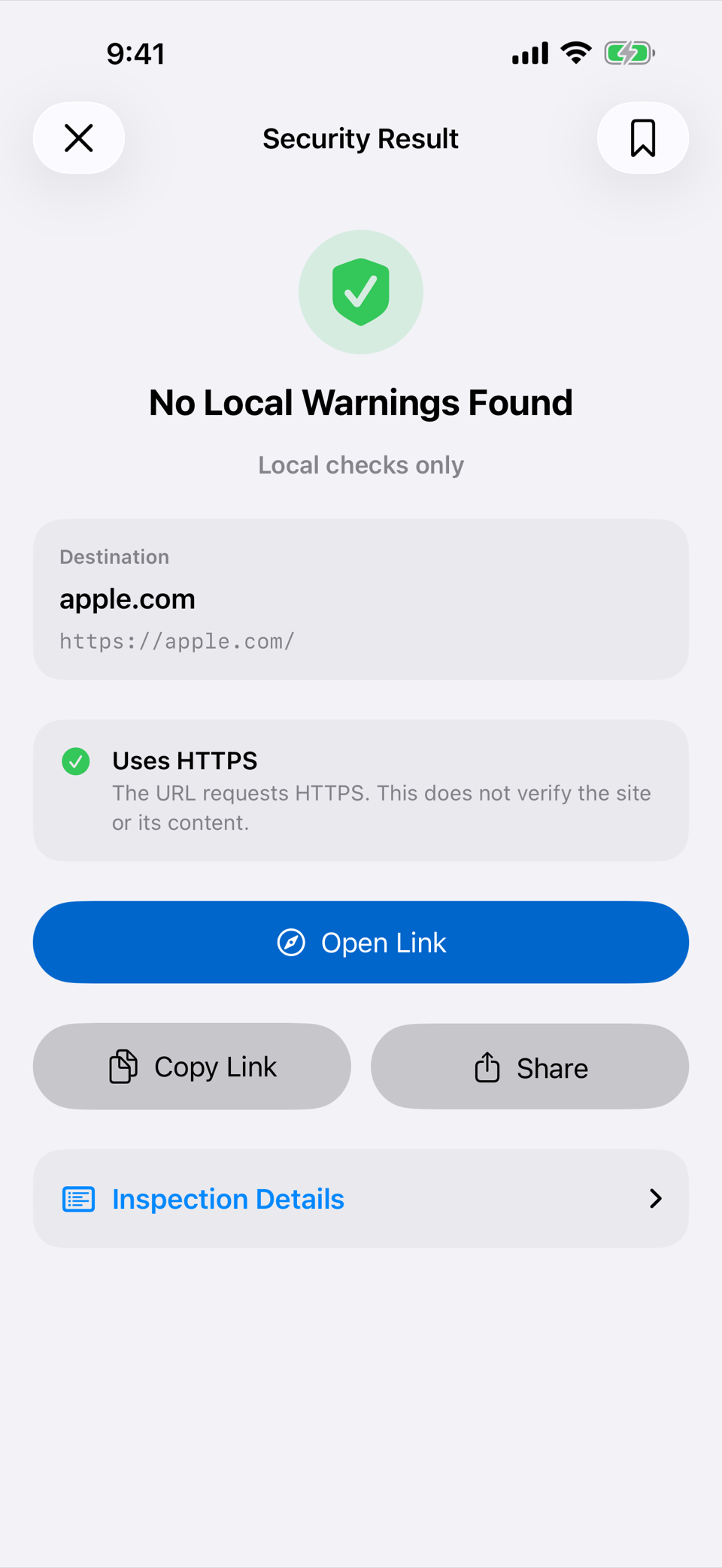
01
Inspect the destination
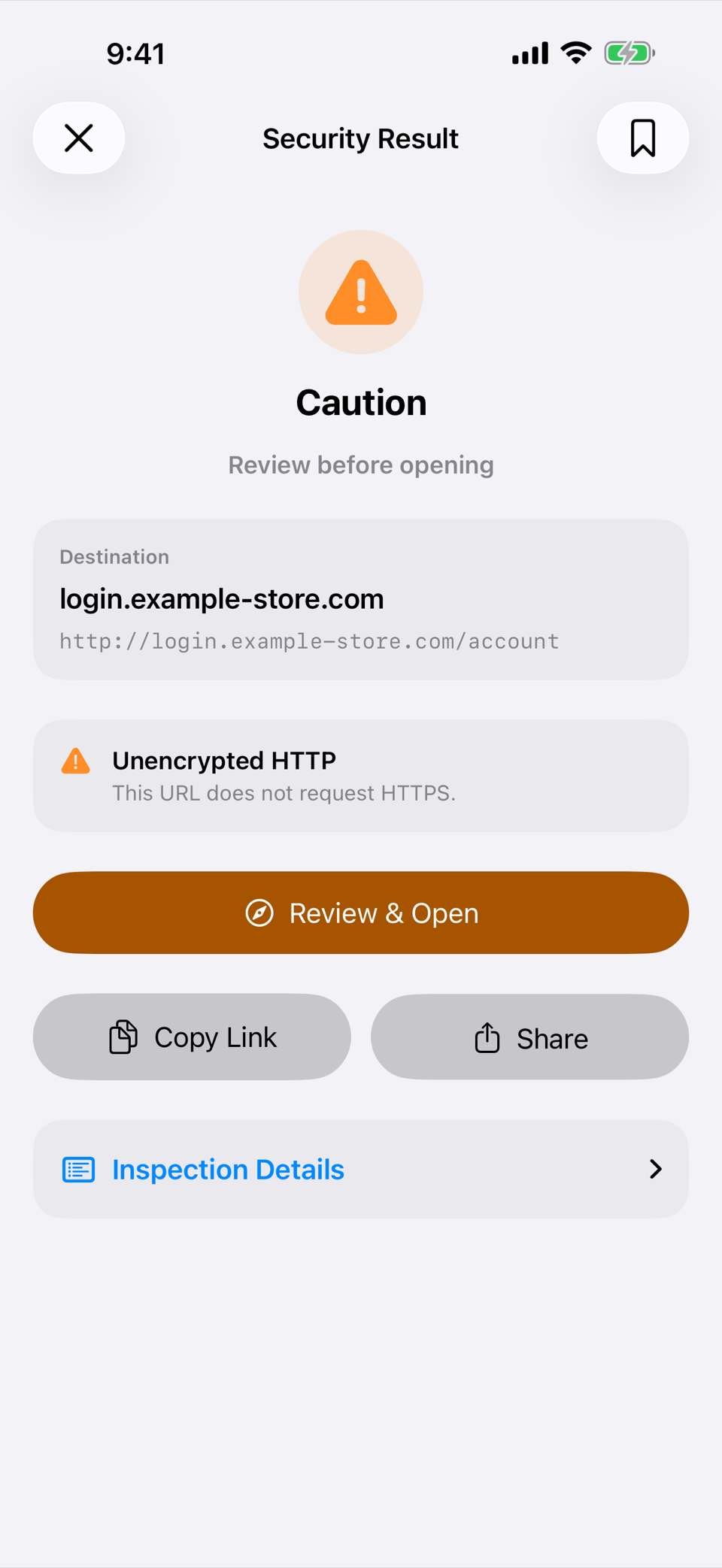
02
Pause when something looks wrong
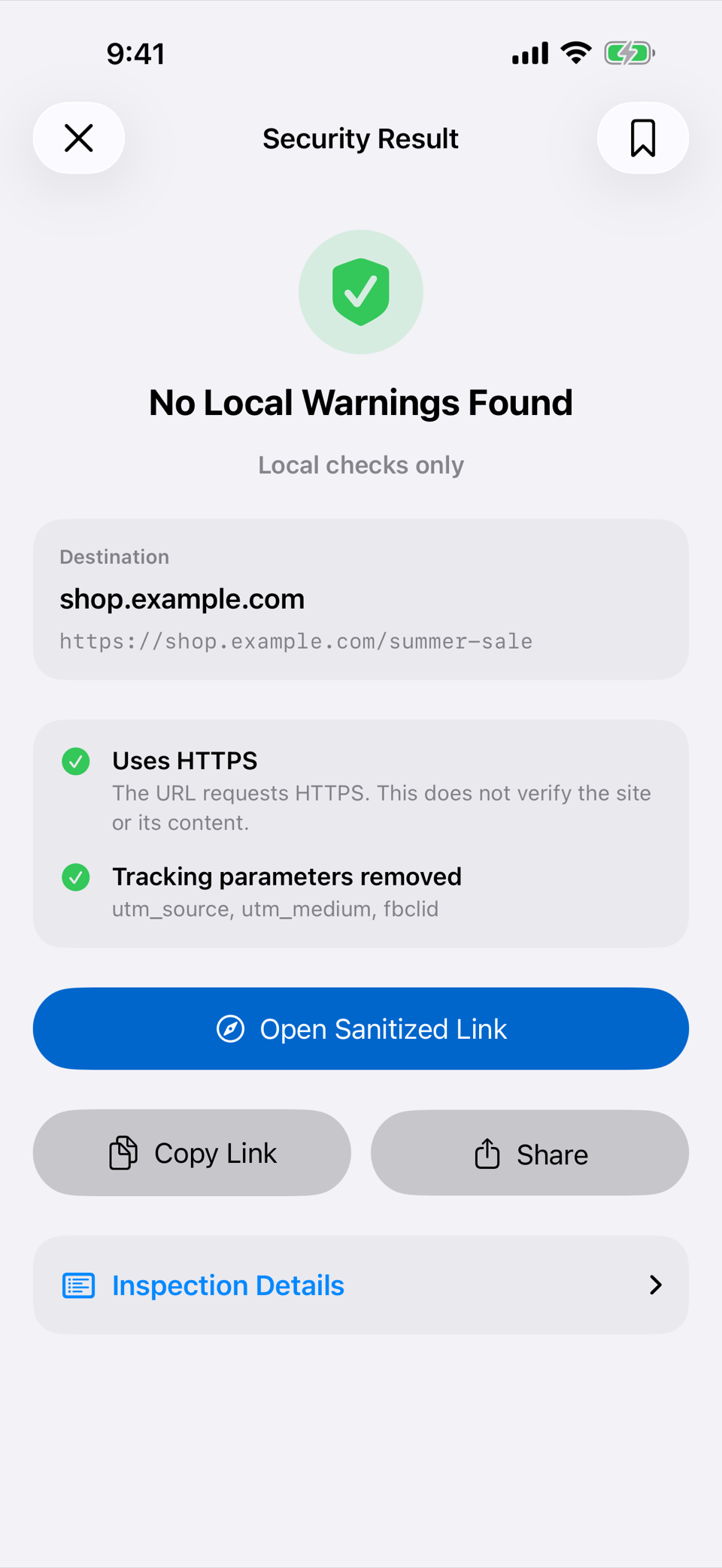
03
Remove common tracking
QR Scevio
Scan. Inspect. Decide.
Requires iPhone with iOS 17.0 or later.